In the complex landscape of modern business, managing disparate functions can become an operational nightmare. This is where an ERP system becomes a strategic imperative. But what is ERP exactly, and how does an ERP solution transform an organization? In this post, terra will delve into the mechanics and benefits of Enterprise Resource Planning.
What is an ERP system?
To understand modern business infrastructure, we must first define its core component: the ERP. It acts as the central nervous system for an organization, facilitating information flow across all departments.
What is enterprise resource planning (ERP)?
According to leading experts like Oracle, the essential ERP system meaning is software used to manage and integrate day-to-day business activities. These include accounting, procurement, project management, and supply chain operations.
A complete ERP solution also includes enterprise performance management to plan, budget, and report on financial results. By collecting shared transactional data, ERP systems eliminate duplication and provide a single source of truth.
The history and evolution of ERP
Although the term ERP was first used in the 1990s by the Gartner Group, these systems have their roots deep in the manufacturing industry, tracing their history back to the 1960s.
1960s: Early beginnings Manufacturers needed a better way to manage their inventory, leading to the development of basic software solutions known as Material Requirements Planning (MRP) systems. These systems helped monitor inventory and reconcile balances, and included basic manufacturing, purchasing, and delivery functions.
1970s and 1980s: MRP systems As more manufacturers adopted MRP systems through the 1970s, the software became more sophisticated. By the 1980s, they evolved into MRP II or Manufacturing Resource Planning systems, which had expanded capabilities to better handle scheduling and production processes.
1990s and beyond: True ERPs The first true ERP systems came into use in the 1990s, expanding beyond inventory control and manufacturing to include departments like accounting, finance, and sales. By integrating multiple processes and departments into one system, these set the stage for ERP solutions as we know them today.
2020s: Big data and artificial intelligence In recent years, big data and AI have transformed ERP systems again, making them more powerful and adaptive. Big data enables handling massive amounts of information for operational insights, while AI adds intelligence to learn from patterns, make informed predictions, and automate repetitive tasks.
What’s the difference between ERP and financial systems?
Key differences and similarities: This is a critical question that often causes confusion for businesses evaluating their software needs. While both are essential for managing a company’s monetary health, they serve vastly different purposes, scopes, and scales.
Below is a detailed comparison to clarify the distinction:
| Criteria | Financial System | ERP System |
| Primary Focus | Accounting & Finance: Records and manages financial transactions, general ledger, AP/AR, and tax compliance. | Business Operations Management: Integrates all core business processes, including finance, supply chain, HR, sales, and manufacturing. |
| Scope of Functionality | Narrow & Specialized: Limited to financial data and reporting. It does not manage non-financial operations like inventory flow or production planning. | Broad & Integrated: Covers the entire business lifecycle. It connects operational activities directly to financial data in real-time. |
| Data Integration | Siloed Data: Often operates as a standalone system. Data from other departments (e.g., sales, warehouse) usually needs manual entry or separate integration. | Single Source of Truth: Utilizes a centralized database where data flows seamlessly across all modules. An action in one department instantly updates others. |
| Target Users | Finance & Accounting Teams: Primarily used by accountants, bookkeepers, and financial controllers. | Cross-Departmental: Used by employees across the organization, including finance, operations, sales, HR, and executive leadership. |
| Operational Example | Records an invoice sent to a customer and tracks its payment status. | Instead of just recording the invoice, it links the sales order (Commerce) to inventory deduction (Supply Chain), triggers a manufacturing requirement (Production), and finally generates the invoice (Finance) automatically. |
What do ERP systems do?
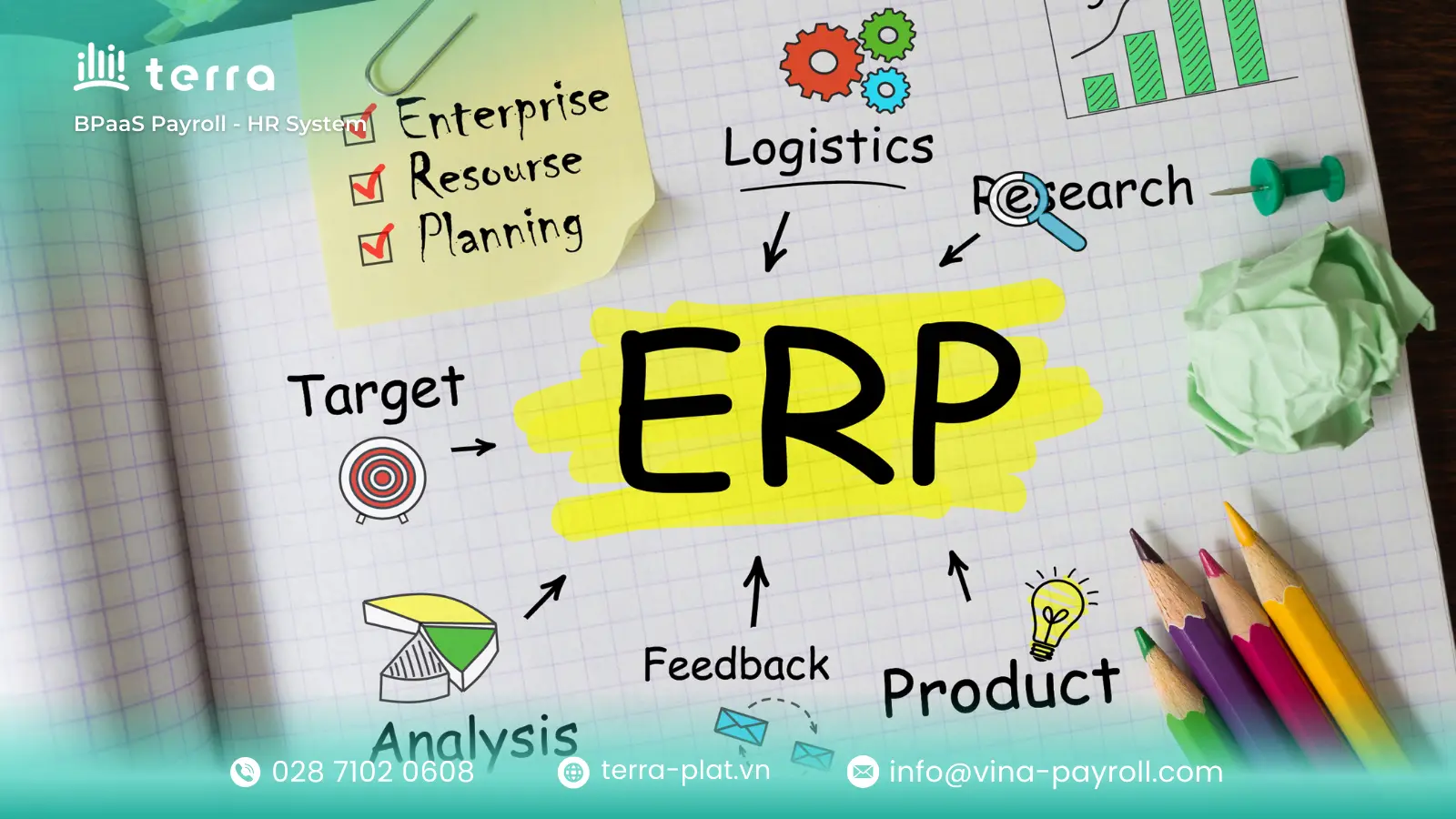
Modern ERP systems are modular in design. Companies can implement an entire suite or pick specific functions based on immediate needs. Here are the core functions available:
Accounting and finance
This is the financial heartbeat of the organization. It goes beyond the general ledger to automate accounts payable/receivable, accelerate financial close times, manage cash flow, and ensure regulatory compliance with rigorous reporting.
Commerce
ERP commerce modules bridge the gap between front-end sales channels (like e-commerce websites or POS terminals) and back-end operations. This ensures that instantaneous inventory updates and revenue recording happen automatically whenever customers make a purchase online or in-store.
Human resource management
A module handles core workforce administration such as payroll, benefits enrollment, and attendance tracking. While foundational, many growing organizations augment this module with specialized best-of-breed solutions like terra hr software for deeper talent management capabilities.
ERP systems support human resource teams by consolidating employee data. They help HR automate manual workflows, reduce errors, and improve collaboration. By tracking employee data like contact information, job roles, and salary information, ERP systems ensure smarter business decisions in a fraction of the time.
Some ERP systems even offer customer relationship management tools. These CRM capabilities manage customer data, contact information, accounts, and service requests. It can also help automate marketing, sales, and customer service processes.
Supply chain management
This module provides end-to-end visibility from raw material procurement to final delivery. It optimizes inventory levels, manages warehouse operations, and tracks logistics in real-time to reduce holding costs and inefficiencies throughout the supply network.
Manufacturing
Essential for production-based businesses, this connects demand planning with production scheduling. It manages bills of materials (BOM), tracks work orders on the shop floor, and enforces quality control to ensure production efficiently matches demand.
Sales and distribution
This function manages the entire sales lifecycle, from initial quote creation to final order fulfillment. It helps sales teams manage customer contracts, configure pricing structures, and ensure the efficient distribution of goods to the end customer.
The same system ties sales directly to finance and inventory. Managers see which products sell best, adjust pricing quickly, and forecast demand using up-to-date numbers instead of guesswork.
Procurement
Procurement centralizes and automates the purchasing process for raw materials or goods. It manages internal requisitions and purchase orders, oversees supplier relationships, and analyzes spending to ensure compliance with company policies and negotiate better terms.
Types of ERP software
How an ERP is deployed significantly affects cost, maintenance, and accessibility. Choosing the right deployment model is crucial for long-term success.
On-premise ERP systems
- Suitable for: Large enterprises requiring absolute data control, high security, or leveraging existing robust IT infrastructure.
- Characteristics: Installed locally on company servers. The organization manages hardware, security, and maintenance internally.
- Pros: Offers maximum control over data security and high potential for deep customization to match unique business processes.
- Cons: Demands significant upfront capital investment (CAPEX) for hardware and licenses, alongside requiring a large, dedicated internal IT team for ongoing maintenance.
Cloud-based ERP systems
- Suitable for: SMBs, growing companies, or those needing rapid deployment, scalability, and lower upfront costs.
- Characteristics: Vendor-hosted and accessed via the internet. Typically a subscription model where the vendor handles updates and infrastructure security.
- Pros: Features lower upfront costs by moving to an OPEX model with predictable expenses, allowing for rapid deployment, easy scalability, and automatic vendor updates.
- Cons: Relies completely on stable internet connectivity for access and may offer less depth for extensive customization compared to on-premise solutions.
Hybrid ERP systems
- Suitable for: Companies wanting cloud flexibility while keeping certain sensitive data on-site due to regulations or internal policy.
- Characteristics: Combines on-premise and cloud environments. For example, core finance stays local, while CRM modules sit in the cloud.
- Pros: Provides a balance between secure on-site compliance and modern cloud flexibility, allowing businesses a gradual migration path to the cloud.
- Cons: Involves higher technical complexity to manage two different environments, making seamless integration and real-time data synchronization challenging.
Industry-specific ERP solutions
- Suitable for: Businesses in sectors with highly specialized processes or strict regulatory compliance (e.g., manufacturing, healthcare, construction).
- Characteristics: Pre-configured with specialized modules, workflows, and compliance standards tailored to a specific vertical market.
- Pros: Ensures faster implementation times due to built-in industry best practices, reducing the need for costly customizations as it already caters to sector needs.
- Cons: Licensing costs can sometimes be higher than generic ERPs, and flexibility might be limited if the business expands into a completely different sector later.
Web-based ERP systems
- Suitable for: Organizations prioritizing workforce mobility, remote access, and a modern user experience across various devices.
- Characteristics: Accessible entirely through a standard web browser on any internet-enabled device, requiring no client installation.
- Pros: Offers excellent mobility and accessibility for remote workers, usually featuring a modern, intuitive user interface (UI/UX) that drives higher user adoption.
- Cons: Performance and access depend entirely on internet stability and browser quality, making endpoint security on individual user devices a critical concern.
How does ERP software work in a business?
The fundamental principle that defines an ERP system is its use of a single, centralized database. This architecture is what eliminates the chaotic data silos that plague growing businesses.
Without an ERP: Imagine the Sales team using one CRM, the Warehouse using separate spreadsheets, and Finance using distinct accounting software. When a sale happens, data must be manually re-entered or emailed across departments. This redundancy inevitably leads to data entry errors, delayed information, and conflicting versions of the “truth.”
With an ERP: The entire organization relies on one source of data. When a sales representative enters a confirmed order, the system automatically triggers a chain reaction across the business in real-time:
- Inventory is instantly allocated, reducing available stock levels.
- A pick list is generated for the Warehouse team to fulfill the order.
- A pending invoice is created in the Finance module.
- Procurement is alerted if stock levels dip below a defined threshold.
Every department sees the same updated information simultaneously, automating workflows and ensuring absolute data consistency.
Key features of an ERP system to look for
When evaluating an ERP solution for 2026 and beyond, modular functionality is just the baseline. The true value lies in the technological features that drive usability, intelligence, and connectivity.
Real-time data processing
In today’s fast-paced market, overnight batch processing is obsolete. The system must update instantly, ensuring that every decision—from inventory replenishment to financial forecasting—is based on current reality, not yesterday’s data.
Reporting and analytics
A modern ERP doesn’t just store data; it interprets it. Look for built-in analytical tools that allow for deep dives into profitability, operational efficiency, and forecasting without needing separate Business Intelligence (BI) software for basic queries.
ERP systems generate reports from data across finance, operations, supply chain, and HR. These reports highlight patterns, track performance, and flag issues before they become bigger problems. Executives use dashboards and charts to understand business conditions at a glance. This visibility supports faster and more informed decisions across all departments.
Analytics also help companies identify savings opportunities, optimize processes, and improve forecasting. When built into ERP, these tools eliminate the need for separate reporting systems.
Data visualization and dashboards
Executives need instant insights, not endless spreadsheets. Seek highly configurable dashboards that visualize complex KPIs into easy-to-understand charts and graphs for at-a-glance views of overall company health.
User interface (UI) and user experience (UX)
Historically, ERPs were notoriously difficult to use. Contemporary systems must prioritize an intuitive, consumer-grade user experience. A difficult interface leads to poor user adoption, undermining the entire technology investment.
Integrations with third-party systems
No single ERP does absolutely everything perfectly. The ability to easily connect with other critical systems—like specialized CRM, banking interfaces, or dedicated platforms like the terra hr management system—via robust APIs is essential.
Scalability and automation
The system must grow seamlessly with your transaction volume without degrading performance. Furthermore, look for AI/ML-powered automation features to handle mundane tasks like two-way invoice matching or predictive inventory ordering.
Customer support and vendor services
An ERP is a long-term partnership, not just a product purchase. Evaluate the vendor’s reputation for responsiveness, their software update schedule, and the availability of a strong ecosystem of certified implementation partners.
Benefits of an ERP system
Implementing an ERP is a major undertaking involving significant time and resources. However, this investment is justified by substantial long-term gains in efficiency and operational visibility across the entire organization.
Top five benefits of ERP systems
Implementing a robust ERP system is a strategic transformation that delivers significant long-term value across the entire organization.
- Comprehensive cost reduction: ERP cuts operational costs through automation and smarter resource management. It prevents expensive inventory issues via real-time visibility and lowers long-term IT expenses by consolidating disparate systems into one platform.
- Significant productivity boosts: By eliminating repetitive manual tasks like data entry, ERP frees employees to focus on high-value strategic work. Seamlessly integrated workflows across departments reduce time wasted on task switching and accelerate completion rates.
- Real-time business visibility: ERP eliminates data silos, offering instant, holistic views of performance from finance to the shop floor. This empowers leaders to make fast, data-driven decisions without waiting for outdated end-of-month reports.
- Seamless collaboration: A centralized single source of truth breaks down information barriers between teams. Departments can collaborate effectively on consistent data sets, minimizing conflicts and the need for redundant data reconciliation.
- Simplified compliance and risk governance: Modern ERPs integrate essential accounting and reporting standards. Automated audit trails and standardized processes help businesses easily meet complex legal requirements, minimizing risk and simplifying audits.

Disadvantages of ERP systems
While offering significant benefits, implementing an ERP system presents substantial challenges and risks that organizations must carefully manage.
- High Total Cost of Ownership (TCO): Requires significant initial capital for software licenses and infrastructure, alongside substantial ongoing costs for maintenance, specialized personnel, and training.
- Complex and disruptive implementation: Deployment projects often span months or years. If managed poorly, they can severely disrupt core business operations and drain internal resources.
- Organizational resistance to change: A major hurdle is employee resistance to abandoning familiar legacy systems and spreadsheets, necessitating extensive change management efforts to ensure adoption.
- Data migration difficulties: Cleaning, validating, and mapping legacy data into the new system’s rigid structure is notoriously difficult and often causes project delays.
- Risk of over-customization: Adapting the software too heavily to match unique existing processes can create technical debt, making future software upgrades difficult and expensive.
How to implement an ERP system
A successful ERP implementation is rarely just a technology project; it is primarily an exercise in managing organizational change and meticulous planning. It requires a structured, phased approach to ensure user adoption and realize return on investment.
Step 1: Assess current systems and processes
The first step is to take a comprehensive look at the current state of business operations to identify inefficiencies, bottlenecks, or functional gaps that an ERP can address. You must refine and clean up broken processes before trying to automate them with new software.
Thoroughly review areas such as:
- Financial systems: Accounting and budgeting processes.
- Manufacturing and supply chain: Inventory management and logistics.
- Sales and Marketing: CRM systems and sales forecasting.
- IT infrastructure: Hardware, networks, cloud systems, and data management.
- User experience: Ease of use and employee technology adoption levels.
Step 2: Define ERP scope and business goals
After assessment, clearly define the specific tasks and processes the ERP system will handle. Establish specific business objectives the system needs to support and key performance indicators (KPIs) to track.
Defining the scope creates a clear roadmap, communicates objectives to stakeholders for buy-in, and allows for measuring success post-completion.
Step 3: Choose the right ERP system
Research and evaluate different ERP software options to determine the best fit for your organization’s requirements. When selecting, consider:
- Does it meet specific functional requirements (Accounting, Warehouse, CRM, etc.)?
- Can it integrate with existing systems and scale as the business grows?
- What is the vendor’s reputation and support capability?
- What is the Total Cost of Ownership (TCO), including implementation, customization, and ongoing maintenance fees?
Step 4: Configure the ERP software
Once a solution is chosen, you must configure it to meet your organization’s distinct needs. This includes personalizing and optimizing the system according to your business workflows and prerequisites.
- Set up organizational structure (chart of accounts, cost centers).
- Align software to existing business processes.
- Define user roles and permissions for data control.
- Integrate with other systems (e.g., e-commerce platforms).
Step 5: Prepare and migrate data
This is often the most daunting and time-consuming process. You must clean and format data from current systems for compatibility with the new one. Moving bad data into a new system will only speed up chaos.
- Conduct a comprehensive data audit.
- Cleanse and validate data to ensure accuracy.
- Develop a backup and recovery plan before migration.
Step 6: Test the ERP system
Before going live, rigorously test the system for functionality and data accuracy. This includes User Acceptance Testing (UAT) with actual staff, validating all migrated data, testing automated processes, and ensuring security protocols are effective.
Step 7: Train employees and end users
Comprehensive Employee training is the most critical factor for user adoption. Ensure all employees receive adequate instruction on how to use the system through online courses, classroom instruction, or one-on-one mentoring. Provide clear step-by-step instructions and resources for troubleshooting.
Step 8: Launch the ERP system
Once testing and training are complete, you can begin rolling out the new ERP system (either phased or all at once). Ensure the system is accessible to all users, activate automated processes, and closely monitor data accuracy and user access immediately upon launch.
Step 9: Ongoing maintenance and support
Ongoing maintenance and support</h3> Going live is just the beginning. Establishing a process for ongoing maintenance and support is essential. This includes performing regular maintenance checks, upgrading software as needed, and having a team of professionals ready to troubleshoot any issues that arise to ensure the system runs smoothly.

Top ERP systems for 2026
The ERP landscape continues to evolve rapidly. Based on current market strengths, innovation, and industry focus, these are the top systems businesses should consider for 2026.
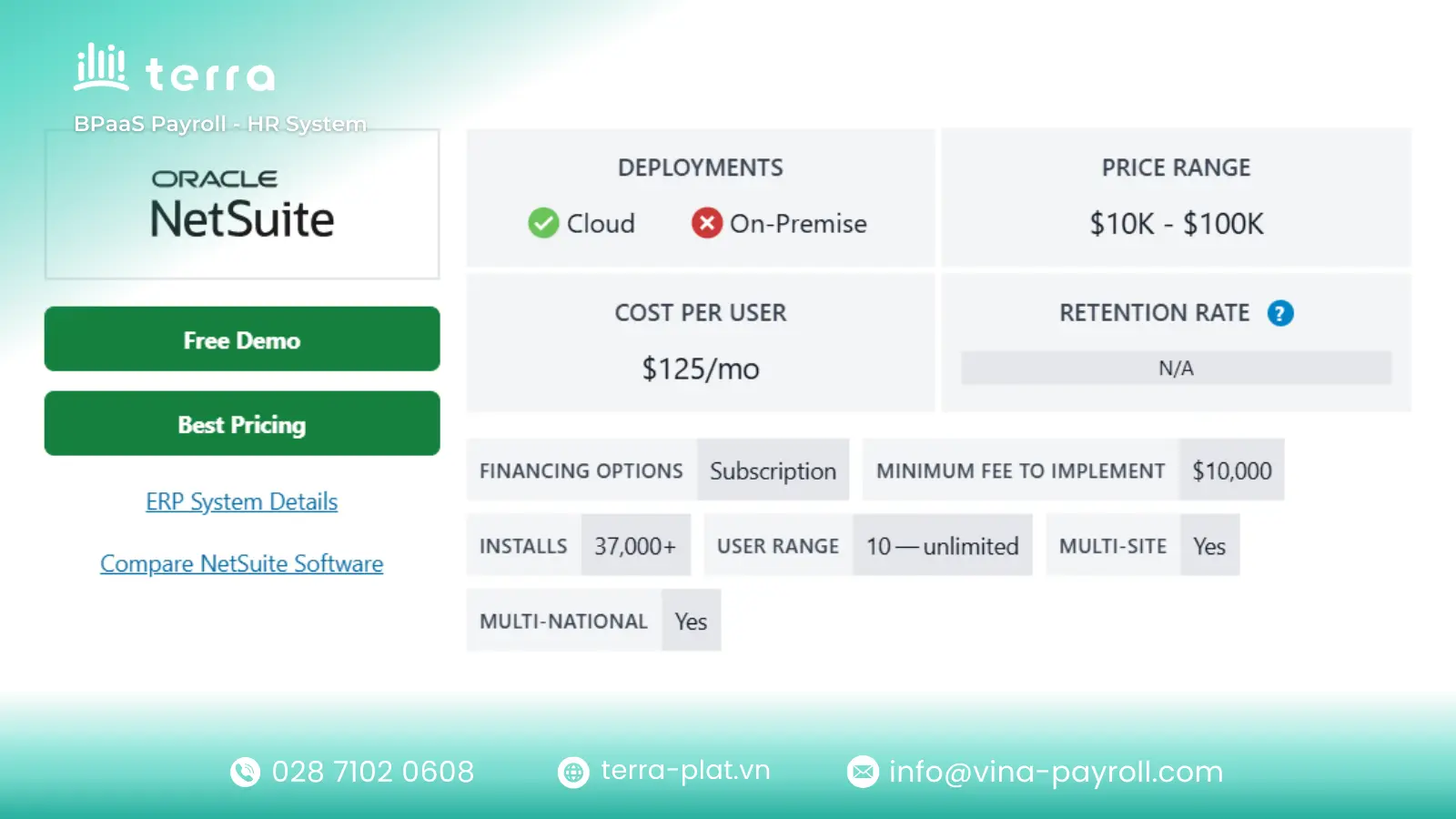
NetSuite ERP
- Suitable for: Fast-growing mid-market companies, startups, and global businesses needing scalability across diverse industries.
- Characteristics: A pioneer in pure cloud ERP, offering a comprehensive, unified suite for finance, CRM, and ecommerce with high scalability and global capabilities.
- Note: While powerful, implementation and subscription costs can grow quickly as businesses add advanced modules and increase user counts.
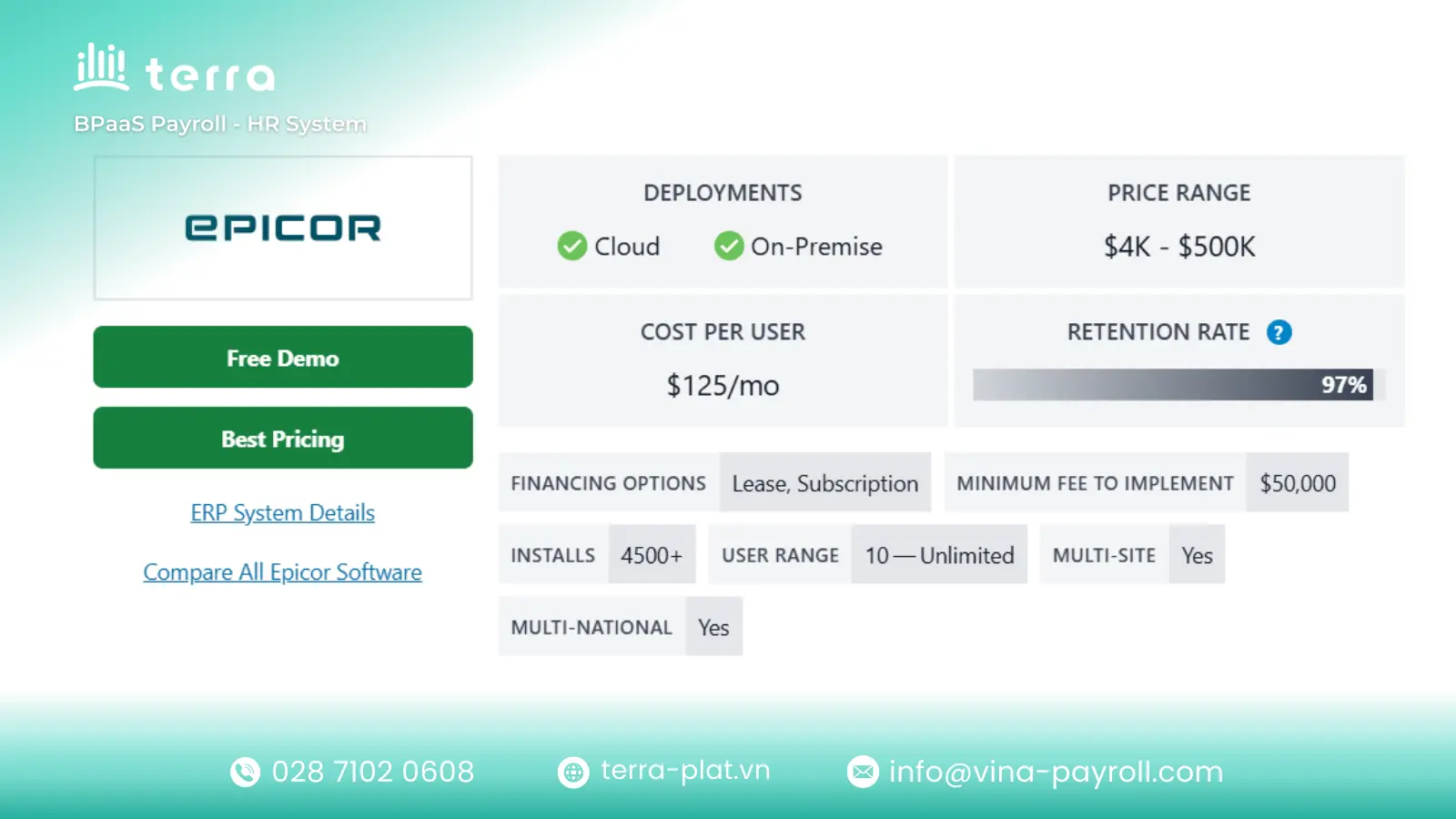
Epicor Kinetic
- Suitable for: Mid-sized to large manufacturers and distributors, especially those with complex production environments (discrete, process, or mixed mode).
- Characteristics: Designed specifically for the shop floor, offering deep industry functionality for production management, supply chain, and MES integration right out of the box.
- Note: Its deep focus on industrial workflows means it may be overpowered or less intuitive for non-manufacturing service businesses.
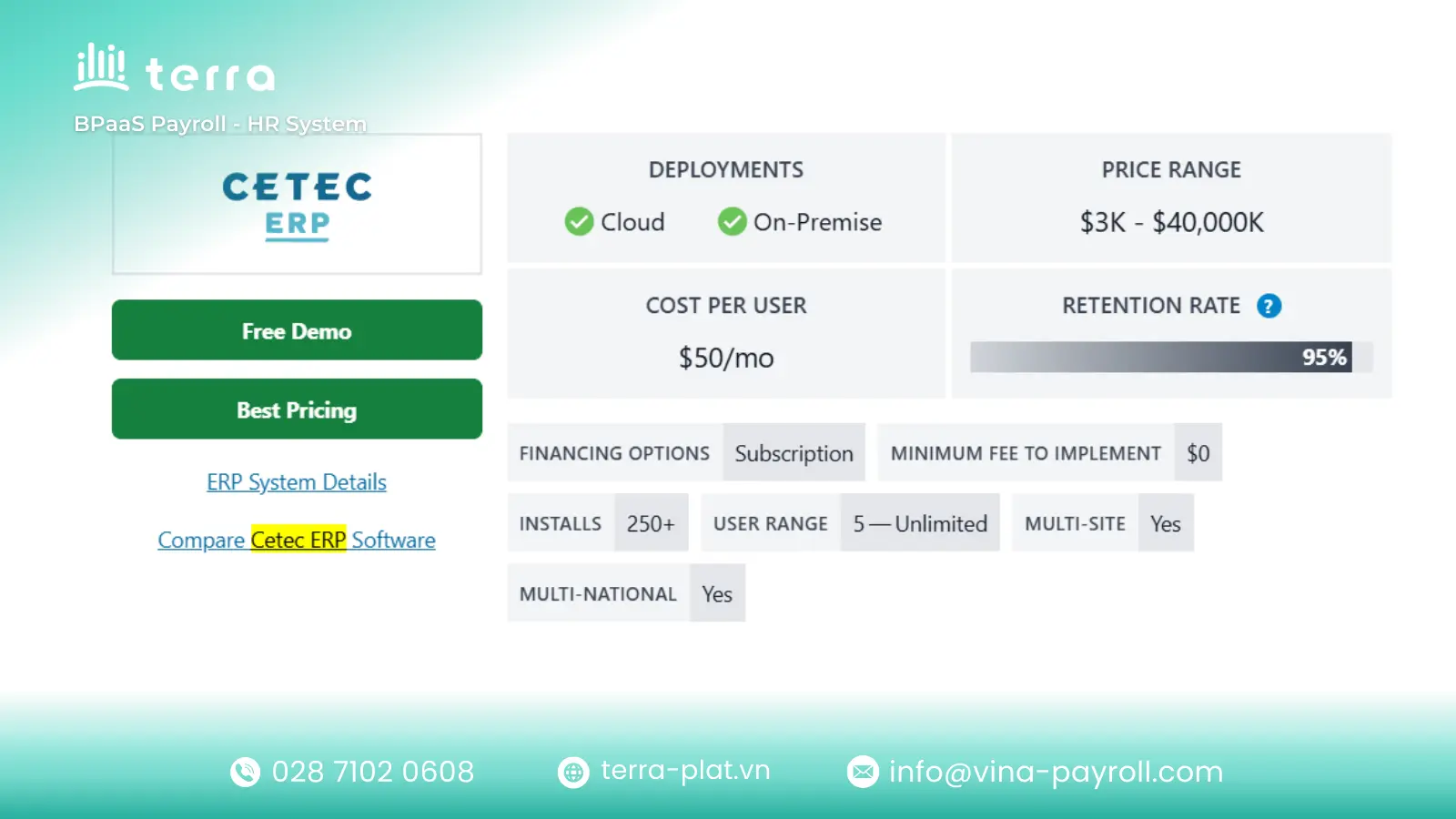
Cetec ERP
- Suitable for: Small to mid-sized growing manufacturers, particularly those in highly regulated sectors like aerospace, medical devices, or ISO-certified shops.
- Characteristics: A modern, fully web-based SaaS platform that uniquely combines ERP, MRP, and QMS (Quality Management System) into a single, affordable solution.
- Note: Its ease of use is a major plus, but extremely large enterprises with complex global financial structures might find it lacking depth.
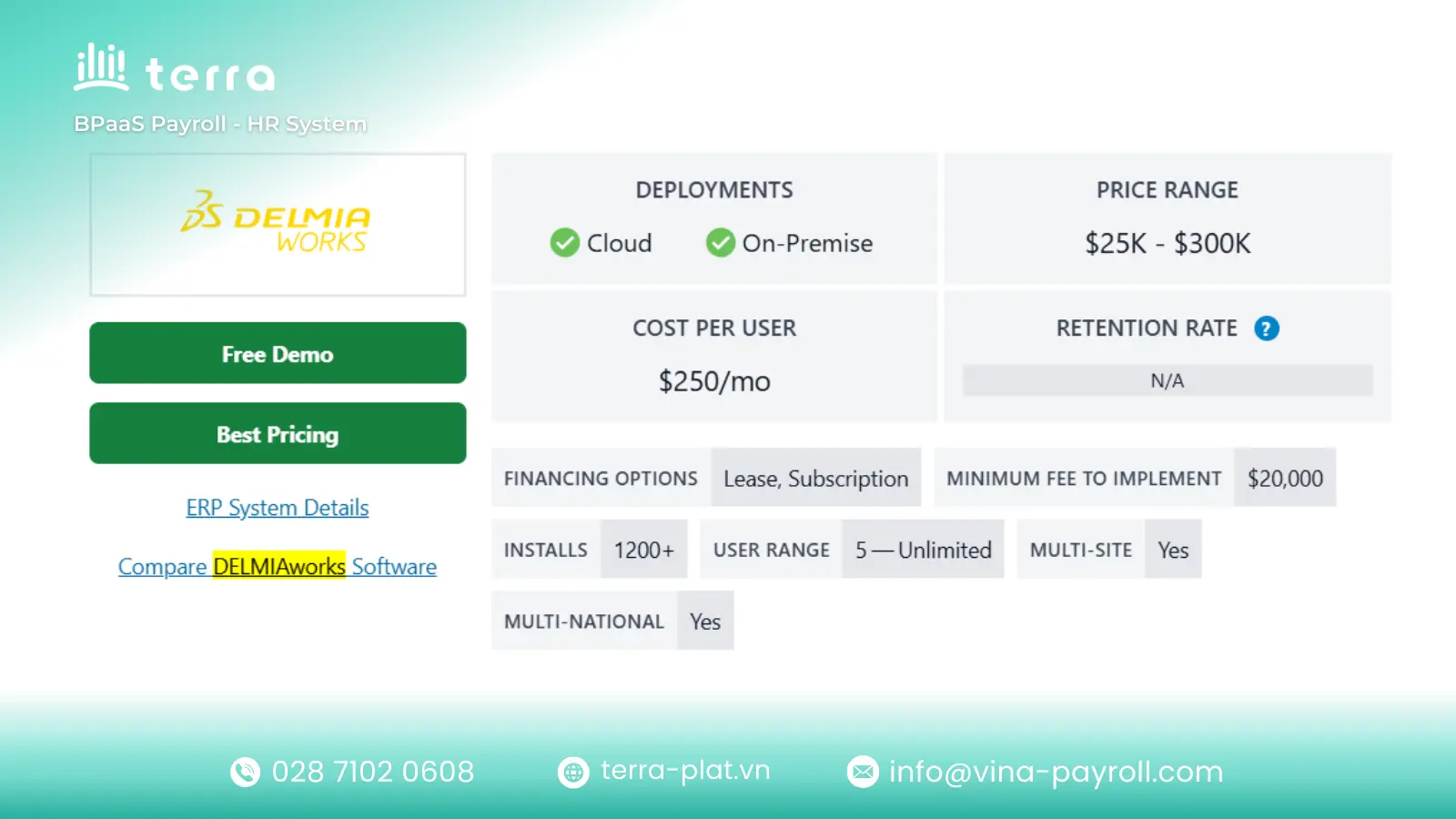
DELMIAWorks
- Suitable for: Mid-market discrete and process manufacturers who need tight integration between shop floor operations and top-floor financial management.
- Characteristics: Offers a powerful combination of native ERP and Manufacturing Execution System (MES) capabilities in a single database for real-time production visibility.
- Note: The strong emphasis on MES makes it ideal for plastics, automotive, and medical manufacturing, but less relevant for pure distribution or retail sectors.
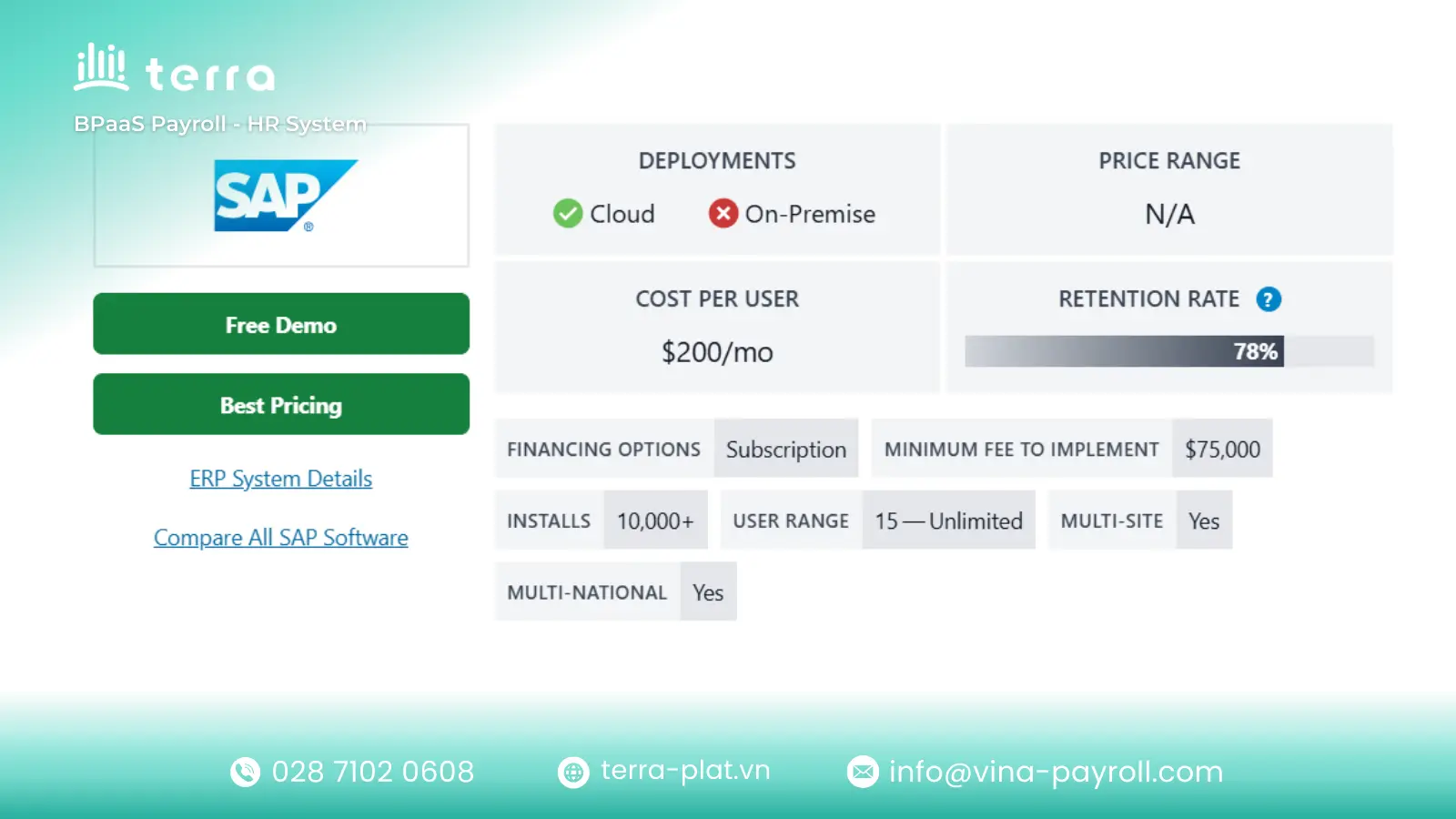
SAP S/4HANA
- Suitable for: Large, complex multinational enterprises with vast data volumes and intricate global supply chain requirements.
- Characteristics: An intelligent, heavy-duty ERP utilizing in-memory computing for incredible processing speed, enabling real-time analytics and AI/ML capabilities on a massive scale.
- Note: The complexity, cost of implementation, and Total Cost of Ownership (TCO) are very high, requiring significant organizational resources and change management.
Acumatica Cloud ERP
- Suitable for: Growing mid-sized businesses seeking flexibility and a modern platform without being penalized financially for adding casual users.
- Characteristics: Known for its unique consumption-based pricing model (pay for resources used, not per user) and highly flexible, open architecture with strong mobile accessibility.
- Note: While excellent for core ERP needs, very niche industry requirements might still need third-party extensions from their marketplace.

QAD Adaptive ERP
- Suitable for: Global manufacturing companies, specifically focused on automotive, life sciences, consumer products, and food and beverage sectors.
- Characteristics: Focuses heavily on supply chain agility and adaptive manufacturing processes, helping global companies navigate rapid change and regulatory compliance.
- Note: Its highly specialized focus means it excels in its target verticals but is generally not considered a general-purpose ERP for other sectors.

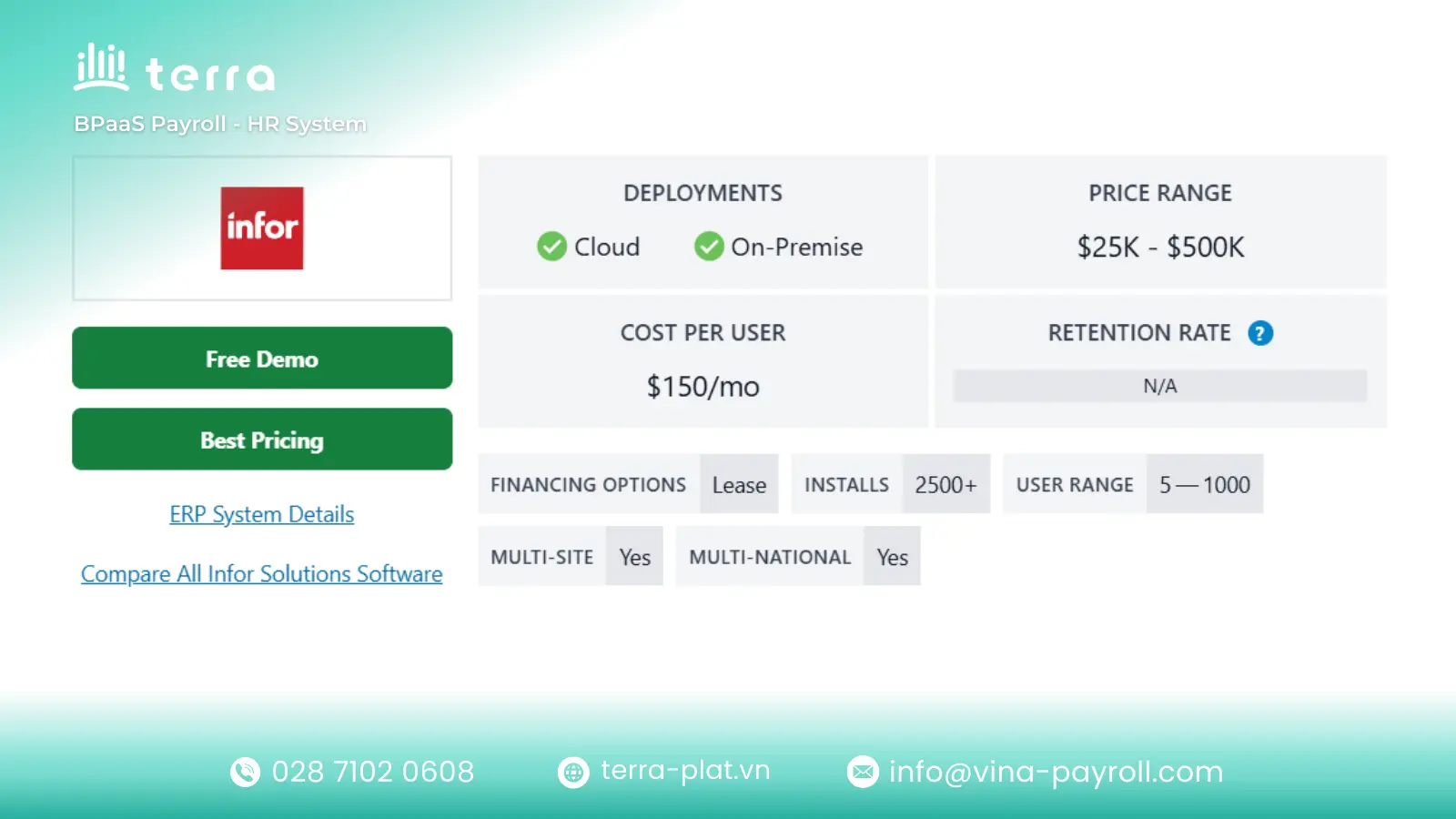
Infor CloudSuite Industrial
- Suitable for: Mid-to-large industrial manufacturers and distributors requiring deep, specialized functionality for complex operations.
- Characteristics: A robust cloud solution offering comprehensive tools tailored specifically for heavy manufacturing, project-based industries, and complex service management.
- Note: The depth and breadth of its industrial features can present a steeper learning curve compared to more generic mid-market ERP options.
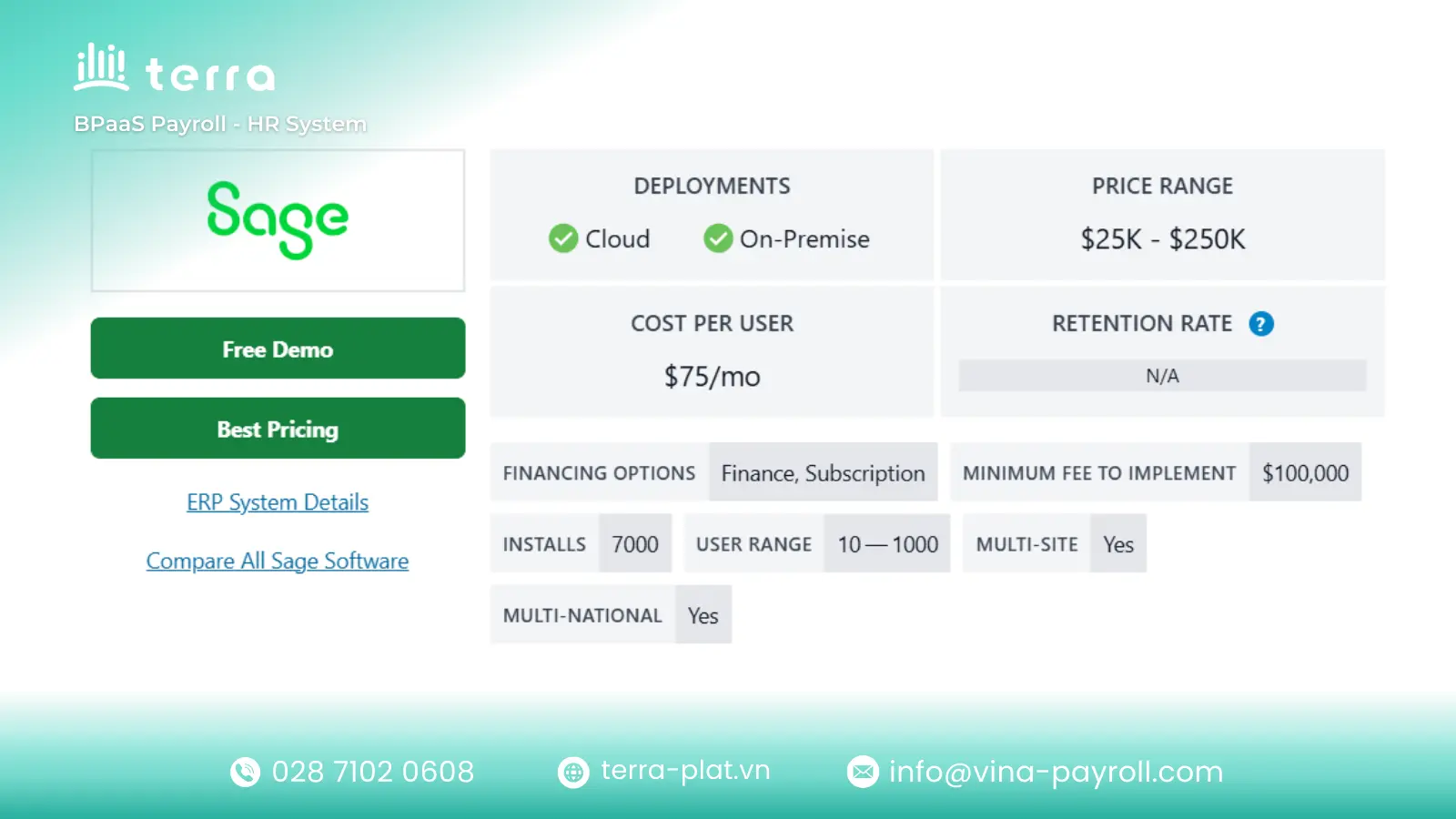
Sage X3 ERP
- Suitable for: Established mid-sized to larger businesses needing robust financial and supply chain management, particularly in food & beverage, chemicals, and distribution.
- Characteristics: A flexible global solution offering strong functionality for managing complex finances, multi-site operations, and specific process manufacturing needs.
- Note: While strong in financials and inventory, its user interface is sometimes considered less modern and intuitive than newer cloud-native competitors.
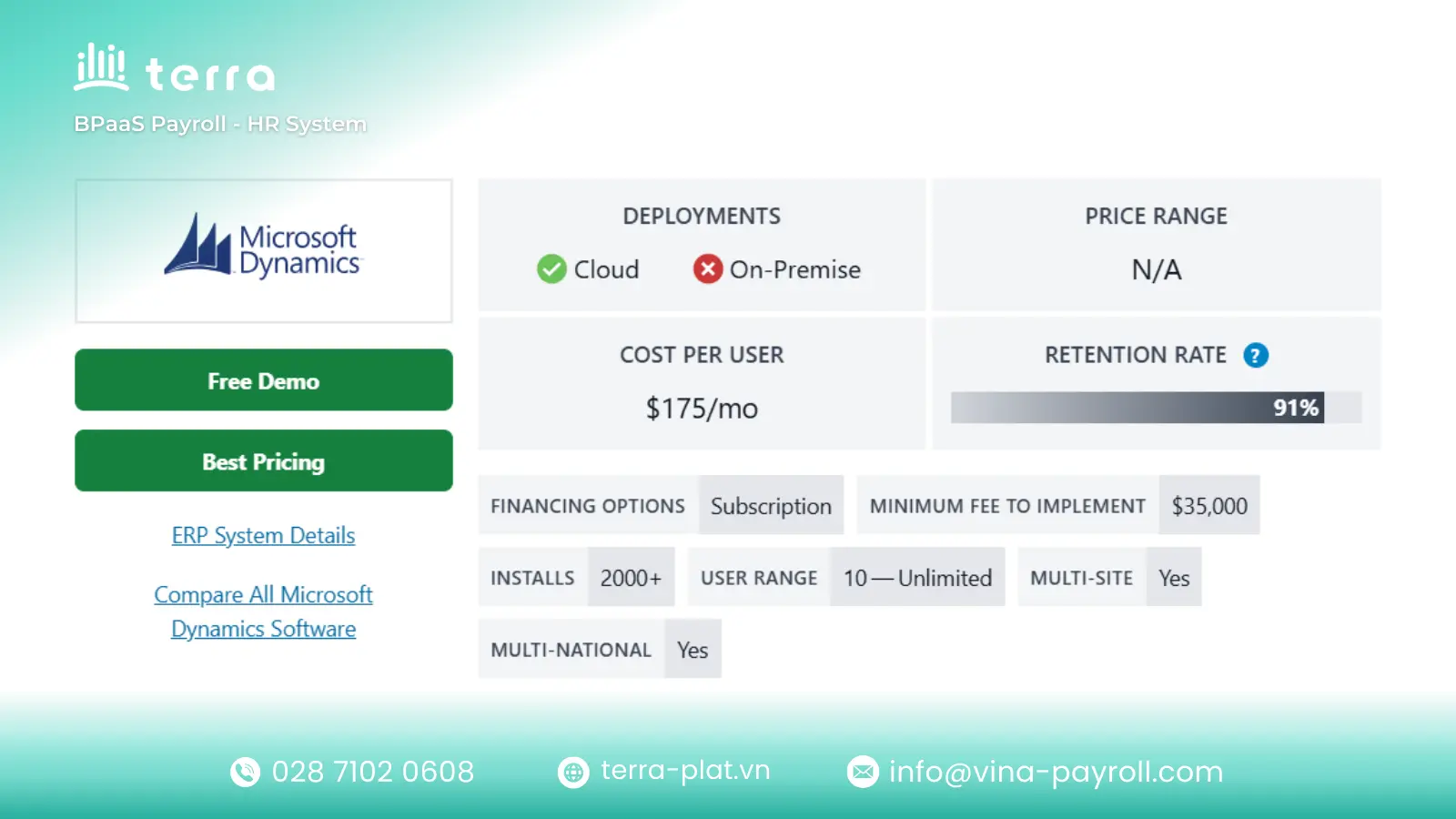
Microsoft Dynamics 365 Business Central
- Suitable for: Small to medium-sized businesses (SMBs) that are already invested in the Microsoft ecosystem and plan to scale up.
- Characteristics: Offers seamless integration with Office 365, Teams, and the Power Platform, providing a familiar interface and easy extensibility for growing companies.
- Note: Out-of-the-box functionality is great for general needs, but complex manufacturing or unique industry processes often require add-ons from the Microsoft AppSource.
terra HR System
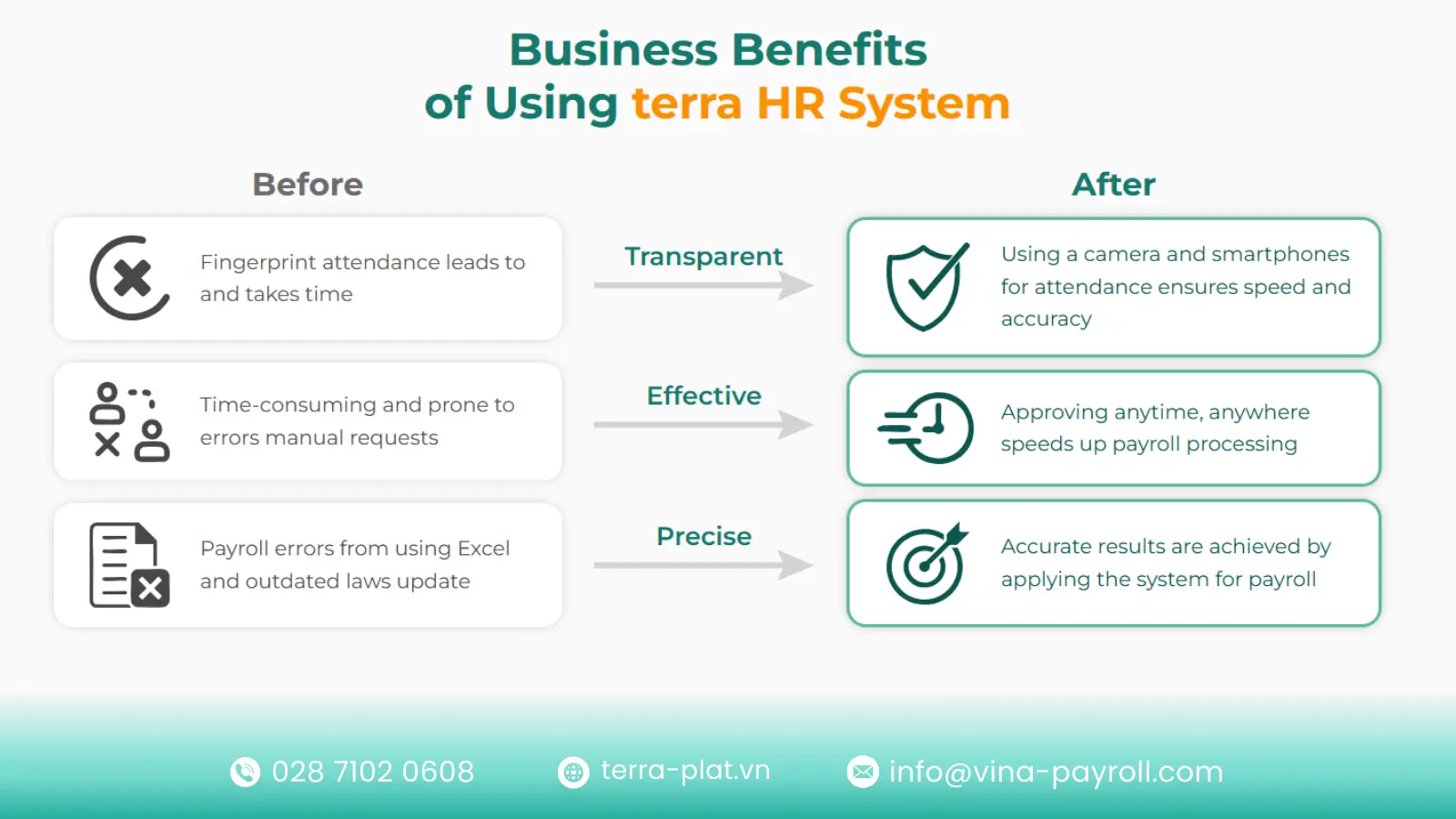
Many businesses find that basic HR modules within generic ERPs are insufficient for meeting in-depth, localized processes in Vietnam. terra HR System is developed as a comprehensive terra HR Solution, focusing on automating and optimizing human resource management accurately and securely.
Below are the core functionalities of the system based on official information:
- Core HR Management: Acts as central terra HR Software to store employee records and automate complex timekeeping and payroll processes, ensuring high accuracy and reducing manual workloads.
- Talent Management & Development: Provides tools to streamline recruitment and manage training plans. It supports KPI goal setting and employee performance appraisal (potentially supporting methods like 360 degree feedback).
- Portal & Reporting: This terra HR platform offers an Employee Self-Service (ESS) portal for viewing payslips and submitting leave requests, while providing intuitive real-time management reports for leadership.
- Operations & Integration: Designed as a highly available and secure terra HR Management System, it supports rapid deployment and can integrate with other systems for data synchronization.
Contact terra HR Solution now for advice!
Conclusion
Investing in an ERP system for 2026 is a foundational business strategy, not merely an IT purchase. In an economic landscape defined by the need for agility and real-time insights, relying on fragmented, disconnected legacy systems is a major liability.